How to Prevent Cheating in Moodle Exams
To prevent cheating in Moodle exams, tighten the quiz settings first: shuffle questions, draw each attempt randomly from a larger question bank, set one attempt with a firm time limit, delay review of correct answers until the quiz closes, and require a lockdown or restricted browser. Those steps remove casual copying and answer sharing. To catch what settings cannot see, a phone, notes, or a person off-camera, add camera-based proctoring on top.
Schedule a DemoStart With a Layered Approach
Preventing cheating in Moodle is not one switch. It is three layers working together: the quiz settings that shape the paper, a browser restriction that secures the device, and proctoring that observes the candidate. Each layer closes gaps the others cannot. Skip the settings and you make copying easy; skip proctoring and you never see the room.
The table below lists the cheating methods Moodle exams face, the setting or layer that counters each one, and the risk that is left over. Read it as a map of where built-in settings stop and where a proctoring layer has to begin.
| Cheating method | Moodle countermeasure | Residual risk |
|---|---|---|
| Copying from a neighbour | Shuffle questions and shuffle within questions, plus random draws from a bank. | Low once papers differ per candidate. No help against a remote helper. |
| Sharing answers with students still testing | Delay review options until the quiz closes; hide correct answers during and immediately after the attempt. | Low for the answer key. A live-relayed screenshot can still leak items. |
| Retaking to farm the question pool | Single attempt, or limited attempts with no review between them. | Low, but a large enough bank matters if any retakes are allowed. |
| Beating the clock with pre-fetched answers | Firm time limit, open and close dates, and one question per page to slow bulk copying. | Medium. Timing limits opportunity but not a prepared cheat sheet. |
| Opening notes, tabs, or other apps on the device | Require a Safe Exam Browser or restricted-browser access key before the attempt starts. | Medium. Secures the device but not a second phone or printed notes. |
| A phone, notes, or a person off-camera | No Moodle setting sees the room. Add camera and microphone proctoring. | Closed only by proctoring that observes the candidate during the attempt. |
The Moodle Quiz Settings Checklist
These are the built-in settings that do the most to reduce cheating, with where each one lives in Moodle and a sensible starting value. Apply them before you consider any add-on. They cost nothing and take minutes.
| Setting | Where it lives | Recommended value | What it does |
|---|---|---|---|
| Shuffle within questions | Quiz settings, Question behaviour | Yes | Reorders answer options so a shared letter (for example, "the answer is C") is useless. |
| Random questions from a category | Editing quiz, Add, a random question | Draw from a bank 4 to 5 times the attempt length | Builds a different paper per candidate from a larger pool. |
| Attempts allowed | Quiz settings, Grade | 1 | Stops candidates from farming the pool across repeated tries. |
| Time limit | Quiz settings, Timing | Set to the exam length; "when time expires: submit" | Caps the window for outside help and bulk copying. |
| Open and close the quiz | Quiz settings, Timing | A fixed window for the cohort | Runs everyone in the same window so late sitters cannot be tipped off. |
| Review options | Quiz settings, Review options | Reveal correct answers only after the quiz closes | Keeps the answer key sealed until the whole cohort has finished. |
| Browser security | Quiz settings, Extra restrictions on attempts | Require Safe Exam Browser or full-screen pop-up with JavaScript | Restricts new tabs, copy and paste, and other apps on the device. |
| Navigation method | Quiz settings, Layout | Sequential for high-stakes papers | Prevents jumping back and forth to map and share the full paper. |
One easily missed leak is review options. If Moodle shows the correct answer the moment a fast candidate submits, that student can pass it to others still testing. Reveal answers only after the quiz closes for everyone.
Make Every Paper Different With the Question Bank
The single most effective built-in tactic is randomization from a well-built question bank. When each candidate sees a different selection of questions, and often different answer orders and numbers, copying a neighbour or passing a screenshot stops being worth the effort.
- Oversize the pool: Author four to five times more questions than any single attempt uses so neighbours rarely overlap.
- Group by topic category: Split the bank into categories and pull a fixed count from each, so every paper still covers the syllabus fairly.
- Use calculated and variable questions: For numeric subjects, calculated questions give each candidate different numbers, so a shared final answer is wrong for the next student.
- Refresh between sittings: Retire and add questions between exam windows so a paper captured once is only a small sample of the next pool.
Randomization limits opportunity, but it assumes an honest environment. It does nothing about a candidate reading from a phone or getting outside help. For how automated monitoring detects those signals, see What is AI proctoring?
Where Settings Stop and Proctoring Begins
Moodle settings and a lockdown browser secure the quiz and the device, but they stop at the screen. They cannot tell whether the person taking the exam has a phone under the desk, notes taped beside the monitor, or someone feeding answers off-camera. That is the gap proctoring closes.
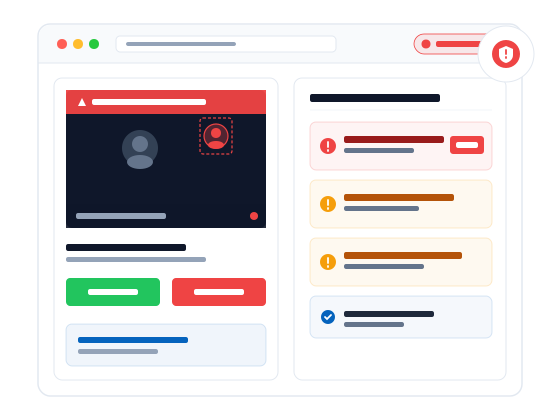
ProctorLink runs as a native Moodle plugin, so proctoring is a per-quiz toggle inside the same settings you already use. During the attempt it watches the webcam and microphone and flags integrity events, a second face, the candidate leaving the frame, a phone in view, or another voice, as a timestamped timeline. A reviewer then judges only the flagged moments rather than watching whole recordings, and flagged evidence can be stored on your own Moodle server.
- Inside Moodle: students stay in the LMS; no second portal or account.
- Event-based review: reviewers see flags with timestamps, not hours of raw video.
- Your data: flagged images and logs can live on your infrastructure with clear retention.
Choosing a plugin for this layer is its own decision. See Best Moodle proctoring plugin for how to shortlist one, and AI proctoring vs live proctoring for how automated and human oversight compare.
What This Looks Like in Real Moodle Deployments
Published figures from ProctorLink Moodle deployments show integrity controls holding up at scale:
- SPPU ran 70 PG entrance papers for 12,000 students, with 15,205 proctored sessions and 2,000+ candidates online at once, mostly on mobile browsers.
- RT-MSSU kept flagged media on-premise while running AI monitoring to satisfy regulatory retention rules.
- Ashoka University secured high-stakes hiring exams with dual proctoring and on-premise video storage.
Across published deployments, ProctorLink has supported more than one million proctored exam sessions (methodology note below). More detail lives on the case studies page.
What customers say on G2
Institutions evaluating proctoring tools often look for independent feedback outside vendor case studies. ProctorLink is listed on G2, where Moodle administrators and training teams share verified product reviews.
Read ProctorLink reviews on G2 →Frequently Asked Questions
Sources & references
Deployment statistics and product behaviour described in this guide link to the sources below.
- SPPU case study: PG entrance exams at scale
- RT-MSSU case study: government compliance and on-premise retention
- NFTI case study: 60,000 fellowship exam sessions
- All ProctorLink case studies
- ProctorLink Moodle proctoring plugin on moodle.org
- ProctorLink reviews on G2
- ProctorLink Standard user guide (PDF)
- Privacy policy
Explore ProctorLink
Ready to add the proctoring layer to your Moodle exam settings? Start with a demo, pricing, and deployment evidence.
Schedule a Demo
See per-quiz proctoring inside your own Moodle in a 30-minute walkthrough.
View Pricing
Subscription tiers for steady exam cycles and credit packs for seasonal peaks.
Moodle Integration
Install guide, plugin download from moodle.org, and compatibility notes.
Best Moodle Proctoring Plugin
How to shortlist a proctoring plugin for a Moodle-first institution.
Case Studies
SPPU, RT-MSSU, and Ashoka University: integrity at university scale.
What is AI Proctoring?
The signal types reviewers see after a Moodle quiz ends.
More Proctoring Guides
What is Online Proctoring?
Online proctoring supervises remote exams via webcam and microphone inside your LMS, logging rule violations with timestamps so reviewers judge flagged cases, not every session.
What is AI Proctoring?
AI proctoring uses machine learning to automatically detect suspicious exam behaviour such as multiple faces, tab switching, and absence from the camera.
Best Moodle Proctoring Plugin
A comparison of leading Moodle proctoring plugins for universities that need native LMS integration, AI monitoring, and institution-owned data.
Online Proctoring Software for Universities
How university exam offices choose online proctoring software for entrance grids, finals, and multi-faculty calendars, including stakeholder RFPs and centre-vs-online cost tradeoffs.
Online Proctoring Software for Certification Exams
How certification bodies and training providers use online proctoring for identity proofing, item-bank protection, and defensible, audit-ready credentialing exams.
AI Proctoring vs Live Proctoring
A side-by-side comparison of AI proctoring and live human proctoring for cost, scale, accuracy, and exam security.
Moodle Proctoring Plugin Comparison
Feature-by-feature comparison of Moodle proctoring plugins covering integration, AI detection, pricing, and data storage.
Online Exam Proctoring in India
A guide to online exam proctoring for Indian universities and certification providers, including compliance, pricing in INR, and local case studies.
Proctoring SDK vs API vs LMS Plugin: Which Do You Need?
How to choose between a proctoring LMS plugin, a browser SDK, and a REST API when adding proctoring to software you already own, with a decision guide and code examples.
How to Add Proctoring to a Web Application
A step-by-step guide to adding exam proctoring to a web app you own: mint a session on your backend, run the browser SDK, and read a server-side integrity report, with code from the API reference.
What Browser-Based Proctoring Can and Cannot Detect
What browser-based proctoring can detect (tab switches, clipboard, faces, identity) and what it cannot (phones, a second monitor, a virtual machine), and why the tiering exists.
How to Add Proctoring to a React Assessment App
A step-by-step guide to adding exam proctoring to a React app: mint a session on your backend, wrap the browser SDK in a useEffect hook, handle StrictMode and token expiry, and read a server-side integrity report.
How to Add Proctoring to an Angular Exam Portal
A step-by-step guide to adding exam proctoring to an Angular app: mint a session on your backend, hold the browser SDK in an injectable service, start it in ngOnInit and tear it down in ngOnDestroy, handle NgZone and token expiry, and read a server-side integrity report.
LTI 1.3 Proctoring Integration, Explained for Developers
How LTI 1.3 connects a proctoring tool to your LMS: the OpenID Connect launch handshake, why it replaces LTI 1.1 shared secrets, how it compares to a Moodle plugin and the browser SDK, and how to read the same server-side integrity report.
Adding Proctoring to a Custom Assessment Platform
A step-by-step guide to adding exam proctoring to an assessment platform you built: map your users, exams, and attempts to a session, mint it on your backend, run the browser SDK in your exam runner, and route the server-side integrity report into your own review workflow.
Why Proctoring Runs in a Cross-Origin Iframe
Why the ProctorLink SDK mounts a cross-origin iframe enclave instead of running in your page: the camera permission binds to the enclave origin and persists across sites, the session token stays out of host-page JavaScript, and the integrity score is computed server-side.
Handling the Exam Session Lifecycle: Tab Close, Refresh, and Network Drop
How a proctored exam survives a tab close, a refresh, and a network drop without fragmenting into several reports: resume by a stable attempt_id, an offline-tolerant event queue, token-expired handling, and tearing down an SPA route change without ending the attempt.
How to Design an Exam Integrity Score
How to design a defensible exam integrity score: a server-side number from 0 to 100 with itemised, weighted penalties, where face analysis drives the verdict, browser events stay pooled and capped as reviewer context, and the score triages for human review rather than failing a candidate automatically.
Proctoring and Biometric Data: DPDP, GDPR Article 9, and BIPA
Why facial images and face templates captured during proctoring are biometric data under India's DPDP Act, GDPR Article 9, and Illinois BIPA, what an institution must do about consent, retention, deletion, and sub-processors, and how the ProctorLink architecture is built to support those obligations.
Close the Gap Moodle Settings Cannot Reach
Tighten your quiz settings, then let ProctorLink watch the candidate. Proctoring runs as a per-quiz toggle inside your own Moodle, flags integrity events for fast review, and keeps evidence on your server.